 Skip to content
Key Takeaways
Pigpio is an advanced and powerful library that provides GPIO control on the Raspberry Pi. It includes a C and Python module, as well as third party support for other programming languages.
Since the pigpio daemon uses a socket interface for remote communication and a pipe interface for local communication, real-time GPIO applications are made easier.
You can use pigpio’s more powerful features. It gives you control to run scripts, easily control PWM and Servo control and wonderfully interface with all your hardware peripherals for any project.
Whether you’re a beginner or a seasoned developer, everyone can take advantage of pigpio’s efficient GPIO handling, supported by expansive community resources and documentation.
The installation of pigpio involves meeting system prerequisites and permissions, making sure that it is compatible across various operating systems.
Pigpio is extremely useful for robotic, home automation, and IoT applications. It has an education component through providing flexible and scalable solutions to a variety of projects.
Pigpio is one of the most widely used libraries by Raspberry Pi enthusiasts, providing a simple method for controlling GPIO pins. From the hobbyist to the seasoned developer, it makes it easy to interface with sensors, motors, and other components.
You program it with Python to create concise, elegant scripts that control hardware at a very low level, keeping your projects fast, flexible and fun. Pigpio supports PWM, servo control, and even waveform creation, making it incredibly versatile for any application.
Its combination of ease of use and reliability has made it the go to lighting control choice for years.
What is pigpio?
Overview of pigpio
Pigpio is a very advanced library written in C. It provides a powerful utility for manipulating General Purpose Input Output (GPIO) pins on Raspberry Pi platforms. This library is ideal for developers looking for a high degree of control and accuracy with GPIO operations.
It scales to the simplest LED blinking set up to the most complex sensor networks. The heart of pigpio’s functionality is the pigpio daemon. This daemon runs in the background and exposes an Internet socket and local pipe interface.
This architecture provides a transparent layer of communication between the user’s application and the state of the GPIO pins. As such, it makes the controlling and controlling of physical devices way easier.
To minimize complexity pigpio has a 2 part architecture. The daemon acts as an intermediary for communication. You can connect to it via its socket interface over a network, or with the pipe interface for local interactions.
This architecture allows developers to easily interface with GPIO pins. They can accomplish this from any programming environment, regardless of their local or remote working situation.
Pigpio’s flexibility goes beyond its original C language roots, providing support for an array of programming languages. The Python module makes using the C library much easier. This tight integration offers developers the ability to work with it naturally within their Python projects.
Pigpio is particularly important in real-time applications where timing accuracy is important. It is great for getting the most GPIO work done with the lowest possible latency.
This makes it ideal for projects that require high-precision control and timing, such as robotics and real-time data acquisition systems.
Key Features of pigpio
Pigpio allows you to develop scripts directly on the daemon and execute code there. This feature provides developers tremendous flexibility in handling GPIO tasks.
These scripts can automate a variety of tasks, minimizing the need for developers to provide manual input on a continuous basis, accelerating the development pipeline. The library supports a number of complex GPIO operations.
It has Pulse Width Modulation (PWM) and servo control, both of which are important for controlling motor speed and position. This capability alone makes it the most convenient tool for any project that includes motors or any other components that need a modulated signal.
The promise of versatility using pigpio with various programming environments makes it even more attractive. If you like Python, C, or even languages supported by pigpio’s many third-party libraries, pigpio fits your coding style.
Integration with hardware peripherals greatly increases its capabilities. This makes it simple for developers to quickly integrate and control other devices such as sensors, displays, or communication modules.
Benefits of Using pigpio
Pigpio is simple to operate, which makes it ideal for newcomers. Even advanced developers like it for its easy-to-use framework for learning and applying GPIO control.
It processes events with extraordinary throughput and low jitter. This helps make sure projects go as planned and is especially important for operations that may be time-sensitive.
Deep community support means users can more easily find answers and workarounds. Thorough documentation encourages them to share tips and tricks, which improves the overall development experience.
Pigpio is compatible with almost all Raspberry Pi models. Combination with excellent compatibility makes it a top choice, regardless of what hardware configuration you’re using.
Functionality and Purpose
Pigpio is a very powerful utility for controlling GPIO pins on your Raspberry Pi. At its core, the pigpio library provides a comprehensive library to manage General Purpose Input Output (GPIO) interface. This interface makes it easy to connect the Raspberry Pi to all sorts of hardware such as sensors, motors, and LEDs.
With the pigpio c library, you can control GPIO pins with incredible resolution. You can therefore count on each pin to control the state of each pin with high reliability and efficiency. This is crucial when you’re working on key creative projects where timing and syncing need to be spot on.
Pigpio’s functions are instrumental in creating efficient communication between devices and sensors. With pigpio you can send and receive signals at 50 times the frequency of many other libraries. This is useful when working with streaming data from sensors or when interacting with actuators that need low-latency responses.
In an advanced home automation system, the pigpio library handles all the communication from various sensors to the Raspberry Pi. This allows them to ensure that actions are done immediately in response to the sensor inputs.
The importance of pigpio goes to the top when running complex tasks with lots of GPIOs. In fields like robotics, for example, synchronizing movement between multiple motors and sensors is critical. Pigpio lets you get creative and work on everything from prototype to production.
This means you can focus on your application’s logic rather than getting weighed down by hardware control minutiae.
GPIO Control with pigpio
GPIO Control Commands: Pigpio provides a comprehensive set of commands, including setting pin modes, reading and writing pin states, and generating PWM signals.
Use pigpio functions like gpioSetMode to define whether a pin acts as an input or output. This provides the framework for future operations by determining the default state of each GPIO pin.
With commands such as
gpioReadandgpioWrite, pigpio gives you the ability to control individual GPIO pins. These commands allow you to check the current state of a pin.You can modify its output, which is key for things like turning on and off LEDs, or detecting a button press. Pigpio uses Broadcom numbering, which is crucial for accurate GPIO identification.
This makes it easier to port projects between devices using the pigpio library, and means that it’ll be the same across all Raspberry Pi models.
Remote GPIO Access
Pigpio goes one step further, allowing GPIO access over the network. This special feature lets you control GPIO pins from another device, which comes in super handy for projects spread across multiple devices.
Configuring the pigpio daemon for remote connections involves setting up a server on the Raspberry Pi that can be accessed by other devices on the network. This configuration is ideal in applications such as remote monitoring networks.
Sensors are relatively cheap, so they can be placed strategically throughout a city, allowing for centralized, real-time data collection. Remote GPIO control powers home automation systems, allowing devices to connect across your entire home.
It further democratizes educational environments, letting students play with GPIOs from the comfort of their own machines.
PWM and Servo Control
Pigpio is particularly good at producing PWM (PWM Pulse Width Modulation) signals which are very important in controlling devices such as LEDs and motors. The library allows you to change the frequency and duty cycle of the PWM signals.
That provides you remarkable flexibility to control multiple devices simultaneously. Servo motors perform amazing tricks with pigpio’s features. The library gives you fine-tuned control of the position of a servo using a set of built-in functions.
Timing precision is one of the most impressive features, made possible by DMA (Direct Memory Access) and PWM/PCM (Pulse Width/Code Modulation) peripherals. This level of precision is critical in fields where timing is of the essence, including robotics and automation.
PWM and servo control are fundamental aspects of robotic arms, allowing them to achieve accurate, controlled motions. They are used in LED dimming systems, enabling very smooth transitions in lighting.
Installation and Requirements
Understanding the installation prerequisites and process for the Pigpio library will save you time and effort while configuring the module. Whether you're working on Linux or Windows, knowing these requirements helps ensure optimal usage in your Raspberry Pi projects.
System Requirements for Pigpio
Feature | Linux | Windows |
|---|---|---|
Processor | ARM-based Raspberry Pi | Intel/AMD |
OS Version | Raspbian or Raspberry Pi OS | Windows 10 or newer |
RAM | 512 MB or more | 1 GB or more |
For best performance, pigpio needs a compatible Raspberry Pi model. Versions Zero, 1, 2, and 3 require V41 or greater of the pigpio C library. This C library can achieve up to 3.5 million digital reads and 2.5 million digital writes per second.
Note that it’s limited in the fact that it only supports one process running at a time. It’s important to always keep your Raspberry Pi operating system up to date. An old, clunky system can lead to unforeseen problems and limit compatibility and functionality.
Install pigpio on Linux.
To install pigpio on Linux, follow these steps:
Update your system:
sudo apt-get updateInstall pigpio:
sudo apt-get install pigpio
After you install, run the pigpio daemon with sudo pigpiod. Running commands without sudo will prevent you from accessing some modules such as Servo library.
If you have trouble, e.g. The daemon is not starting, please consult the troubleshooting page before opening a new issue. Linux is the most common platform for pigpio projects. GPIO 0-31 are well supported, providing rich interaction with real-world hardware.
Install pigpio on Windows
Here’s a simple guide to get pigpio running on Windows:
Download the pigpio binaries from the official website.
Just extract the files and add your environment path to include the pigpio binaries.
Run the pigpio service using a compatible terminal application.
Setting up the environment for pigpio on Windows can be somewhat tricky for example in dealing with permissions or path configuration.
Once you’re able to get it up and running, the benefit is the promise of cross-platform development, being able to transfer projects between systems with ease.
Common Use Cases
1. Robotics Projects
In the field of robotics, the pigpio library really shines, providing millisecond control over your motors and sensors. With minimal modification, it can also be utilized for other components such as servos, DC motors, and rotary encoders. This responsiveness and adaptability enable the creation of realistic robot interactions and behaviors, particularly through the use of waveforms for precise control.
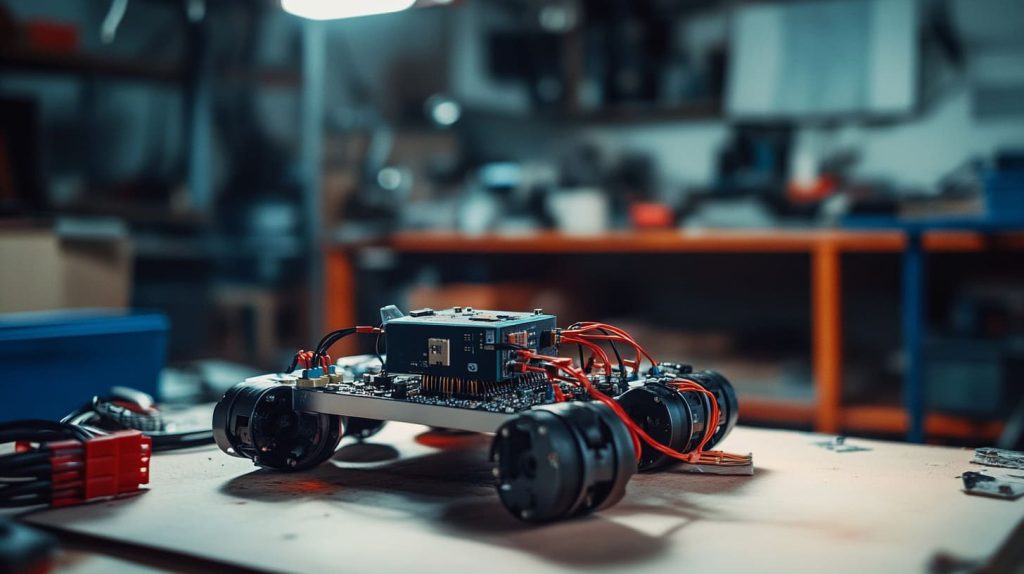
From remarkable community projects like robotic arms and autonomous vehicles, the power of the pigpio c library is on full display. New users can prototype simple connections with basic sensors and motors and gradually increase complexity. For instance, even a basic robot car project would benefit from pigpio’s motor control, which allows for PID control over turns and speed.
This interactive approach not only allows beginners to get acquainted with the fundamentals of robotics but also fosters a deeper understanding of programming and the use of the pigpiod daemon for managing GPIO states effectively.
2. Home Automation Systems
In home automation, pigpio provides responsive GPIO control. This makes it a perfect fit for controlling lights, thermostats, and security systems. It plays really nice with smart devices and technology, making it super easy to communicate with various sensors and environmental controllers.
Whether it’s an automated lighting system or a smart irrigation setup, many projects that need to manage complex input and output use pigpio to take care of those duties. With pigpio, you can develop custom solutions to address unique needs throughout your home, making daily tasks more convenient and saving energy.
It has a variety of capabilities including the ability to quickly connect to other sensors and devices. That way, you can design a truly responsive home-to-school transportation system.
3. IoT Applications
As a standard in IoT projects, pigpio is an integral part of most projects, as it helps develop the communication between devices. From the census to the car assembly line, it handles data acquisition and control applications, enabling multiple protocols for reliable operation.
Smart weather stations and remote monitoring systems use pigpio under the hood. It ensures consistent handling of many simultaneous sensor inputs. Thanks to its scalability, pigpio can handle large and intricate IoT environments, preventing data bottlenecks and enabling seamless device communication.
For instance, an intelligent greenhouse system could employ pigpio to manage environmental sensors and actuators, ensuring ideal conditions for plant growth.
4. Educational Purposes
Beyond advanced applications, pigpio is a great way to teach programming and electronics. Its intuitive design makes it well suited for students and teachers who are just beginning to experiment with big ideas.
Educational projects like interactive displays or basic automation systems frequently employ pigpio to showcase tangible real-world uses. By providing this hands-on learning, pigpio allows students to understand theoretical concepts through the application of practice.
For instance, an interdisciplinary STEM classroom project might use pigpio to create a rudimentary security alarm. Through this hands-on experience, students will learn about sensors and logic circuits.
This approach allows for experimentation and builds a greater understanding of technology.
Troubleshooting and Support
When getting started with the pigpio library, you will often run into preventable mistakes, and having a troubleshooting guide can save your life. Here are some typical steps to address pigpio c library problems.
Ensure all GPIO pins are properly connected and not reserved for system use. See the Compute Module documentation for details.
Confirm the power supply is stable and within the required range.
Regularly update pigpio to avoid compatibility issues with the latest hardware and software.
Examine logs for error messages, which often provide clues to the problem's root.
In-depth documentation can provide information on advanced features such as PWM and servo pulses, the details that power users are looking for.
Common Issues with pigpio
Users new to GPIO programming often experience issues with incorrect GPIO settings, or devices not functioning as they expect when running scripts. These problems may be due to unsupported software, or simply having the wrong settings configured.
As an example, when confronted with error messages such as “GPIO not available”, usually there’s a pin that is pre-reserved for system usage. Maintaining frequent software updates is key to avoiding compatibility issues, keeping your pigpio applications compatible all the time.
Keep in mind, pigpio only supports GPIO 0-31 for hardware-timed sampling and other features, so using GPIO in this range is essential.
Resources for Help and Support
The pigpio community pigpio@googlegroups.com is an inestimable resource for pigpio troubleshooting & support. Joining forums and online communities can lead to immediate troubleshooting advice and insights from other users.
Here are some reliable resources:
Comprehensive guides and FAQs are available on the pigpio website.
Platforms like Raspberry Pi forums and GitHub offer community-driven support and shared experiences.
Hundreds of community members have created tutorials and how-tos, offering detailed, step-by-step instructions for your next Maker project.
Check out these third-party pigpio wrapper projects in other programming languages.
The community’s response has been amazing and has contributed a lot to pigpio’s ongoing development and usability.
Tutorials and guides are plentiful, allowing users to get the most out of their projects. Official pigpio resources, including a C library and a Python module, provide excellent support for controlling GPIOs.
To learn more and get support, check out the official pigpio website and read through their large collection of documentation.
Conclusion
Pigpio provides a great starting point for makers of all levels who are jumping into the world of Raspberry Pi. It’s simple enough for beginners, yet powerful enough for experts to take on complex GPIO tasks quickly with great flexibility and scalability. Whether you’re making your house smart or creating an air-purifying robot, pigpio has everything you need to turn your brilliant ideas into reality. It’s not just the technical side; it’s the technical side combined with the community around you that’s ready to provide support and troubleshooting. Take the plunge and see what opportunities pigpio opens up for your Raspberry Pi projects. Participate in community discussions, post your work, and continue your education. Your next great idea begins with that first move. Download your copy of the pigpio library, fire up your Raspberry Pi, and get ready to make something amazing. The next great idea might be right around the corner.
Frequently Asked Questions
What is pigpio?
The pigpio library is a C library designed for precise control of the Raspberry Pi GPIO pins, making it an excellent choice for projects requiring accurate timing or the ability to read and write pins with precision.
Why should I use pigpio?
The pigpio library offers incredibly fine-grained control over GPIO pins, including pulse width modulation (PWM), making it ideal for time-critical applications and ensuring guaranteed timing behavior in your Raspberry Pi projects.
How do I install pigpio?
To install the pigpio library, simply open a terminal on your Raspberry Pi and type sudo apt-get install pigpio. Ensure your system is up to date for a successful installation of the pigpio c library.
What are the common use cases for pigpio?
The pigpio library is popular for robotics, home automation, and other IoT projects, particularly where precise GPIO timing and control, such as pulse management, is required.
What are the system requirements for pigpio?
The pigpio library was designed to run on a Raspberry Pi with Raspberry Pi OS, ensuring optimal performance and functionality for GPIO usage.
How can I troubleshoot pigpio issues?
Double check your wiring and code indentation. Ensure the pigpio daemon is running by executing sudo pigpiod, and refer to the pigpio library documentation for in-depth instructions.
Where can I find support for pigpio?
Visit the pigpio library GitHub page for documentation, issues, and community support. The Raspberry Pi forums are another great place to get help with any pigpio c library usage.





Leave A Comment