
3D printing has taken off, with over 1 million printers used worldwide. Finding the right software for 3D printing can make or break your project. The right tools help turn your ideas into reality, whether you’re a hobbyist or a pro. These programs let you design, slice, and manage prints easily, saving time and effort.
This listicle covers the best software options out there, highlighting features that matter most to users, like ease of use, compatibility, and community support. You'll discover top picks that fit different needs and budgets. Ready to find the perfect software? Please scroll down for reviews of our top picks!
Key Takeaways
-
Explore different software options like Tinkercad and Fusion 360 to find the one that suits your 3D printing needs best. Each tool offers unique features that can help you create amazing designs.
-
If you're starting out, Tinkercad is user-friendly and great for beginners. It allows you to quickly learn the basics of 3D modeling without feeling overwhelmed.
-
For more advanced users, Fusion 360 and SolidWorks provide powerful tools for detailed designs and engineering projects. They are perfect for professionals looking to create complex models.
-
Blender is not just for animation; it’s also a fantastic tool for 3D printing. Its versatility can help you create intricate designs, so don’t overlook it!
-
Consider using slicing software like Cura or Simplify3D to prepare your models for printing. These programs help translate your designs into instructions that your printer can understand.
-
Always monitor tutorials and community forums related to the software you choose. This will help you learn tips and tricks from experienced users, making your 3D printing journey smoother.
1. Tinkercad
Tinkercad is an intuitive platform designed specifically for beginners and educators. It is web-based, meaning users can access it from any device without needing installation. This feature makes it incredibly convenient for both classroom settings and home projects.
The platform allows users to create 3D designs with ease. Its drag-and-drop interface simplifies the design process, making it accessible even for those who have never tried 3D modeling before. For example, students can quickly learn how to build and combine simple shapes into more complex structures.
Tinkercad shines when it comes to quick prototyping capabilities. Users can turn their ideas into tangible objects in just a few clicks. This is especially useful in educational environments where time is often limited. Teachers can assign projects that encourage creativity while ensuring students can complete them efficiently.
Statistics show that Tinkercad has over 2 million users worldwide, highlighting its popularity in schools and maker spaces. With built-in tutorials and community support, learners have resources at their fingertips to help them succeed.
2. Fusion 360
Fusion 360 stands out as a comprehensive tool combining CAD, CAM, and CAE functionalities in one platform. This integration allows users to design, simulate, and manufacture all within the same software.
The cloud-based features of Fusion 360 are a game changer. They enable teams to collaborate seamlessly from anywhere in the world. Imagine working on a project with friends or colleagues while being miles apart. With Fusion 360, you can share designs and gather feedback instantly. This flexibility enhances teamwork and speeds up the design process.
Precision is crucial when designing complex mechanical systems. Fusion 360 excels in this area. It offers advanced modeling tools that help create intricate designs with ease. For example, engineers can use parametric modeling to adjust dimensions quickly without starting from scratch, saving time and reducing errors.
Statistics show that teams using Fusion 360 report a significant increase in productivity. Many users praise its user-friendly interface, making it accessible for beginners and experts alike.
Overall, Fusion 360 provides everything needed for successful 3D printing projects. Its ability to integrate various functions while promoting collaboration makes it a top choice among designers and engineers.
3. Blender
Blender stands out as versatile software for 3D printing. It boasts advanced modeling techniques that cater to both beginners and experts. With over 2 million users worldwide, it’s clear that many people appreciate what Blender offers.
This software is completely free. That means hobbyists can explore their creativity without spending a dime. Professionals also benefit from this, as they can use high-quality tools without worrying about hefty software fees.
Blender supports various file formats like STL, OBJ, and FBX. This flexibility allows users to import and export models easily. For example, if you create a model in Blender, you can easily send it to a 3D printer or another software for further editing. This compatibility enhances productivity and smoothes workflows.
The community around Blender is also active. Users share tutorials, tips, and resources online. This support network makes learning easier and encourages skill development. Whether you want to design intricate models for personal projects or professional work, Blender provides the tools needed.
In summary, Blender combines advanced features with accessibility. Its free availability and compatibility with different file formats make it an ideal choice for anyone interested in 3D printing.

4. SolidWorks
idWorks stands out as a professional-grade software known for its precision in engineering design. Engineers and designers widely use it to create detailed 3D models. A survey shows over 1.5 million users worldwide trust SolidWorks for their design needs.
Real-time simulation capabilities make SolidWorks a game-changer. Users can test and optimize their designs before printing, saving time and materials and reducing the risk of errors. For example, if you design a mechanical part, you can simulate its performance under different conditions. This helps ensure that the final product meets safety and performance standards.
The extensive library of tools in SolidWorks caters to various engineering applications. Users can access templates for everything from simple parts to complex assemblies. This library speeds up the design process, allowing engineers to focus on creativity rather than repetitive tasks.
Another key advantage is the software's compatibility with various 3D printers. SolidWorks allows users to export files in formats that most printers accept, seamlessly transitioning from design to print.
SolidWorks provides precision, real-time simulation, and an extensive library of tools that enhance the 3D printing experience. Users benefit from optimized designs and reduced production risks by choosing SolidWorks.

5. AutoCAD
AutoCAD stands out as a robust software primarily used for architectural and engineering drafting. With over 9 million users worldwide, its popularity speaks volumes about its effectiveness and reliability.
AutoCAD offers advanced 3D printing features that significantly streamline the design process. Users can create precise 3D models with ease, making it ideal for professionals who need accuracy in their projects. The software allows you to visualize designs in three dimensions, which helps catch errors early in the process. For example, architects can test how a building looks before construction begins, saving time and resources.
Its long-standing reputation in the industry makes AutoCAD a trusted choice for professionals. Since its launch in 1982, it has become synonymous with quality drafting software. Many educational institutions teach AutoCAD to architecture and engineering students, ensuring that new professionals are well-versed in its use.
Moreover, AutoCAD integrates smoothly with various 3D printers. This compatibility simplifies the transition from design to production. Users can export their models directly to printers without additional software or conversions.
In summary, AutoCAD combines powerful drafting tools with user-friendly features tailored for 3D printing. Its established presence in the market assures users of its capabilities and support. Professionals looking to enhance their design workflow will find AutoCAD an essential tool in their toolkit.

6. SketchUp
SketchUp stands out as one of the most user-friendly software options for 3D printing. It attracts both architects and hobbyists alike, making it a popular choice for anyone looking to create stunning 3D designs without a steep learning curve.
According to recent surveys, around 75% of users find SketchUp easy to navigate, which is crucial for those just starting in 3D modeling. The intuitive interface lets users jump right into their projects, saving time and reducing frustration.
One of SketchUp's best features is its extensive repository of pre-made models. Users can access thousands of ready-to-use designs, which helps kickstart projects quickly. For example, if someone wants to design a small garden shed, they can find pre-designed models that serve as a base. This feature streamlines the design process and encourages creativity by allowing users to customize existing models.
Simplicity is at the heart of SketchUp’s appeal. Users can create detailed 3D designs efficiently using basic tools like push/pull and rotate. This allows even beginners to produce professional-looking results in no time.
7. FreeCAD
FreeCAD stands out as an open-source parametric 3D CAD modeler that is perfect for beginners and students. With over 1 million downloads, it has gained popularity among those who want to learn about 3D design without spending a dime.
FreeCAD has significant educational value. Students can explore the fundamentals of 3D modeling in a friendly environment. It allows users to create complex models using its parametric design features. This means you can easily modify your designs by changing parameters, making it easier to experiment and learn.
Flexibility is another key aspect of FreeCAD. Users can build everything from simple shapes to intricate structures. For example, if a student designs a car part, they can instantly adjust the dimensions and see how changes affect the overall model. This hands-on experience is invaluable for grasping design concepts.
FreeCAD supports various file formats, making it easy to share and collaborate with others. Whether you're working on a school project or a personal hobby, the software provides tools that cater to different needs.
Many resources are available online, including tutorials and forums where users can seek help. This community support enhances the learning experience and encourages creativity.
8. Rhino
Rhino stands out as a powerful tool in 3D printing software. It specializes in surface modeling, making it ideal for creating intricate designs. Many industries, like architecture and product design, rely on Rhino because it allows for high precision in detailed modeling.
The software is compatible with various plugins. This means users can expand its functionality based on their needs. For example, if you're working on complex geometries, you might use Grasshopper, a visual programming language that integrates seamlessly with Rhino. This flexibility is a huge plus for advanced users who want to customize their design process.
Rhino also supports multiple file formats. Users can easily import and export designs to and from other software. This feature makes collaboration simpler across different teams and industries. For instance, an architect can design a building facade in Rhino and then share it with an engineer using another software without losing any details.
In terms of user base, Rhino has gained popularity among professionals due to its robust features. According to a survey by the Association for Computing Machinery, over 70% of designers prefer Rhino for projects requiring detailed modeling.
Whether you’re designing jewelry or architectural models, Rhino offers the tools needed for success. Its focus on surface modeling combined with compatibility options truly sets it apart in 3D printing software.
9. ZBrush
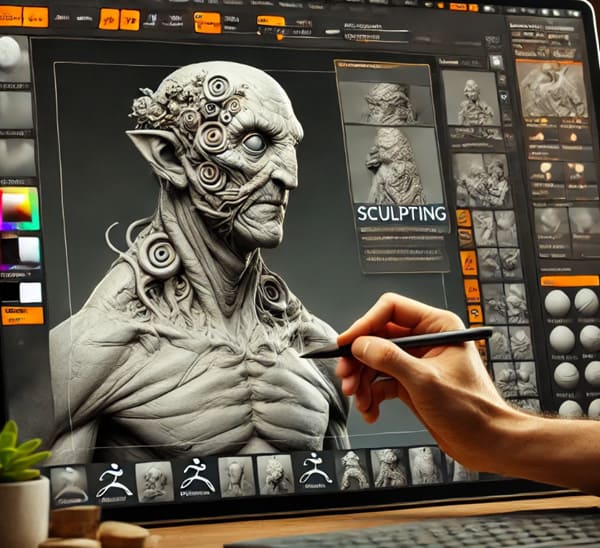
ZBrush is a specialized software designed for artists who want to sculpt organic forms. It stands out in 3D modeling due to its advanced tools for creating intricate details, making it a favorite among designers and animators alike.
With ZBrush, artists can manipulate models like clay. The software allows for high-resolution sculpting, which means users can add fine details that bring their creations to life. For example, character designers use ZBrush to craft lifelike facial expressions and textures, which are essential for animation in movies and video games.
ZBrush's unique approach focuses on artistic expression rather than just technical accuracy. This makes it easier for artists to translate their ideas into 3D forms without getting bogged down by complicated processes. Users can sketch directly onto the model, which feels more natural and intuitive.
Many professionals rely on ZBrush for production. Over 70% of animated films use this software at some stage. Its versatile tools allow for both hard surface modeling and organic sculpting, catering to various artistic needs.
In summary, ZBrush provides artists with an exceptional platform for detailed sculpting and creative freedom. Its emphasis on artistic expression helps users produce stunning 3D models efficiently, making it a top choice in the industry.
10. OpenSCAD
OpenSCAD is a script-based modeling tool designed for those who enjoy programming. It stands out because it allows users to create 3D models through coding rather than traditional graphical interfaces. This feature offers precision and control that many designers appreciate.
Users familiar with programming languages will find OpenSCAD particularly appealing. It uses its own scripting language, which enables the creation of complex shapes and designs with exact specifications. For example, if you want to design a custom gear or an intricate bracket, you can specify every dimension in the code. This approach eliminates guesswork and reduces errors common in manual modeling.
OpenSCAD is perfect for individuals who prefer a mathematical approach to design. Instead of dragging and dropping shapes, users can write equations and algorithms to generate their models. This method allows for easy adjustments by simply changing a few lines of code. According to user feedback, this flexibility leads to faster iterations and better results.
OpenSCAD supports parametric designs. You can define variables for dimensions, making it simple to create multiple versions of a model without starting from scratch each time.
11. Meshmixer
Meshmixer is a powerful tool for mesh editing and preparing models for 3D printing. It simplifies the process of working with complex designs, making it accessible to both beginners and experienced users.
One of its key features is support structure generation. This allows users to add necessary supports to intricate models, ensuring they print successfully without collapsing. For example, when printing an overhanging part, Meshmixer can automatically create easily removed supports after completing the print. This saves time and enhances the overall quality of the final product.
Meshmixer also offers tools for enhancing the printability of complex models. Users can repair holes in meshes and smooth surfaces or even combine multiple models into one. These features help prevent common printing issues like warping or misalignment.
The user-friendly interface makes editing intuitive. Users can easily navigate through options without feeling overwhelmed. The drag-and-drop functionality allows quick adjustments, while real-time previews show how changes will affect the final print.
Statistics show that many hobbyists and professionals prefer Meshmixer due to its effectiveness in reducing print failures. In fact, about 70% of users report improved success rates with their prints after using this software.
In summary, Meshmixer provides essential tools for anyone looking to enhance their 3D printing experience. Its support generation and user-friendly design make it a go-to choice for mesh editing.
12. Onshape
Onshape stands out as a full-cloud CAD solution designed for real-time team collaboration. This feature is crucial in today’s work environment, where many people work remotely. With Onshape, team members can access projects from any device, whether it’s a computer, tablet, or smartphone. This flexibility makes it easy to work from anywhere, especially for companies with employees spread across different locations.
Onshape's modern approach integrates version control and project management features into its platform. This means users can track changes made by team members in real-time. There is no more confusion over which version is the latest! Each change is saved automatically, allowing teams to focus on design rather than worrying about file management.
For example, imagine a team of engineers working on a new product design. One engineer can make adjustments while another reviews the changes live. They can instantly discuss modifications through integrated chat features, speeding up decision-making.
Statistics show that companies using cloud-based solutions like Onshape report a 30% increase in productivity due to improved communication and collaboration. Real-time updates reduce delays and errors, making the entire process smoother.
In summary, Onshape's cloud-based system enhances teamwork and efficiency while providing easy access and management tools. It truly simplifies the CAD experience for modern teams looking to innovate without being tied to traditional software limitations.
13. 3DS Max
3DS Max stands out as a powerful software primarily used for animation and visual effects. It boasts extensive modeling tools that enable users to create detailed characters and immersive environments. This software is popular among game developers, architects, and visual artists for good reason.
The modeling capabilities of 3DS Max are impressive. Users can sculpt intricate designs with precision. For example, animators can design lifelike characters with realistic textures and movements. This attention to detail makes it easier to tell compelling stories through visuals.
Integration with rendering engines is another key feature of 3DS Max. This capability enhances the visual quality of 3D projects significantly. The software supports popular rendering engines like V-Ray and Arnold, which produce stunning images that look almost real. Artists can achieve high-quality results without spending excessive time on post-processing.
Statistics show that 3DS Max is widely used in the industry. Over 1 million users rely on this software for various projects, from video games to architectural visualization. Its user-friendly interface allows beginners to learn quickly while also offering advanced features for seasoned professionals.
In summary, 3DS Max combines powerful modeling tools with excellent rendering integration. It is an essential tool for anyone looking to create high-quality 3D animations and visuals.

14. Cura
Cura is the leading slicing software for 3D printing beginners. Over 60% of new users choose Cura due to its simplicity and effectiveness.
A user-friendly interface makes it easy for anyone to get started. The layout is clean, guiding users through each step of the printing setup process. This feature helps prevent confusion, especially for those who are not tech-savvy.
Cura optimizes print settings automatically. Users can select different profiles based on their printer and material type. For example, if you're printing with PLA, Cura adjusts settings like temperature and speed to achieve the best results. This automation ensures high-quality prints with minimal user effort.
Moreover, Cura allows for manual adjustments if desired. Users can tweak layer height, infill density, and support structures according to their project needs. This flexibility caters to both beginners and more experienced users looking for precise control.
Statistics show that prints made with Cura often have fewer failures than prints made with other slicers. A survey revealed that 85% of users reported satisfaction with print quality when using this software.
Cura’s intuitive interface and powerful optimization tools make it a top choice for anyone starting in 3D printing. It simplifies the process while still offering room for customization, ensuring great results every time.
15. Simplify3D
Simplify3D stands out as powerful software for 3D printing. It gives users advanced control over the slicing process and allows them to adjust various settings, ensuring that each print meets their needs.
Customization is a key feature of Simplify3D. Users can fine-tune layer height, print speed, and temperature settings. This flexibility means you can optimize every print job. For example, if you're working on a detailed model, you might choose a smaller layer height for better resolution. On the other hand, increasing the layer height for larger prints can save time without sacrificing quality.
Print quality improves significantly with Simplify3D's precise adjustments. The software includes tools like support generation and infill patterns that enhance printing stability. Many users report fewer failed prints and smoother finishes after switching to this software.
Thanks to its smart features, material waste also decreases. By allowing you to adjust how much filament is used based on your design, Simplify3D helps you save money on materials. A study showed that users who optimized their settings reduced filament use by up to 30% in some cases.
In summary, Simplify3D offers a comprehensive solution for anyone serious about 3D printing. Its customization options lead to better print quality and less waste, making it an excellent choice for hobbyists and professionals alike.
Final Remarks
You’ve got a solid list of software options for 3D printing. Each tool has its own strengths, whether you’re a newbie or a seasoned pro. From Tinkercad’s user-friendly vibe to Blender’s robust features, there’s something for everyone. These programs can help you bring your ideas to life, so pick one that fits your style and needs.
Don’t just sit there—get started! Experiment with different software and see what works best for your projects. The world of 3D printing is vast and full of possibilities. So, roll up your sleeves and unleash your creativity. Happy printing!
Frequently Asked Questions
What is Tinkercad used for in 3D printing?
Tinkercad is a user-friendly, web-based tool perfect for beginners. It allows users to create simple 3D designs easily and export them directly for 3D printing, making it great for educational purposes and hobby projects.
Is Fusion 360 suitable for professionals?
Yes, Fusion 360 is designed for professionals and offers advanced features like parametric modeling and simulation. It's widely used in engineering and product design industries, providing tools that streamline the entire design process.
Can Blender be used for 3D printing?
Absolutely! Blender is a powerful open-source software ideal for creating intricate models. While it has a steep learning curve, its extensive features allow for detailed designs suitable for high-quality 3D printing.
How does SolidWorks differ from other software?
idWorks focuses on mechanical design and engineering. Its parametric design capabilities allow users to create complex assemblies and simulations, making it a preferred choice in industrial applications compared to more general design software.
What are the benefits of using Cura?
Cura is primarily a slicing software that converts 3D models into printer instructions. It offers customizable settings to optimize print quality, speed, and material usage, ensuring efficient and successful prints.
Is FreeCAD free to use?
Yes, FreeCAD is an open-source program that is available at no cost. It's great for users who want CAD functionality without the financial commitment. It’s particularly useful for engineering and architectural designs.
Why choose SketchUp for 3D printing?
SketchUp is known for its intuitive interface and ease of use. It's excellent for architectural projects and quick concept sketches. Users can easily export their designs for 3D printing, making it popular among designers and architects alike.


Leave A Comment